
NelfePlay MULTIPLAYER

How it works
A good game, opponents your size and a rematch that won't wait: evenings may run late! With NelfePlay MULTIPLAYER, meet up for a fierce duel or a good co-op session. In your NelfePlay MULTIPLAYER collection, hold the selected game of your choice to join the action. Your turn to play!
PS: what's a friend? A player who follows you and whom you follow ;) Invite them!
Three steps, on your PC or your cabinet
The same experience applies to a Windows computer and to a personal cabinet. No equipped venue is required.
-
01
Create your profile
An email and a sign-in link. Your nickname becomes your identity in the standings, and it holds your games and your records.
-
02
Get your machine ready
RetroBat, APIExpose, then linking to your account. The guide picks up where you are and skips what is already done.
-
03
Play and enter the standings
Your score leaves signed and timestamped. The replay follows, and your world place appears.
Entering a gameroom
In the NELFEPLAY MULTIPLAYER collection, select the game, then hold the confirm button (A). The panel opens to the left of the game menu and puts you in a gameroom: the FOR PLAYERS... tab waits for opponents, and the up and down arrows choose your character.
-
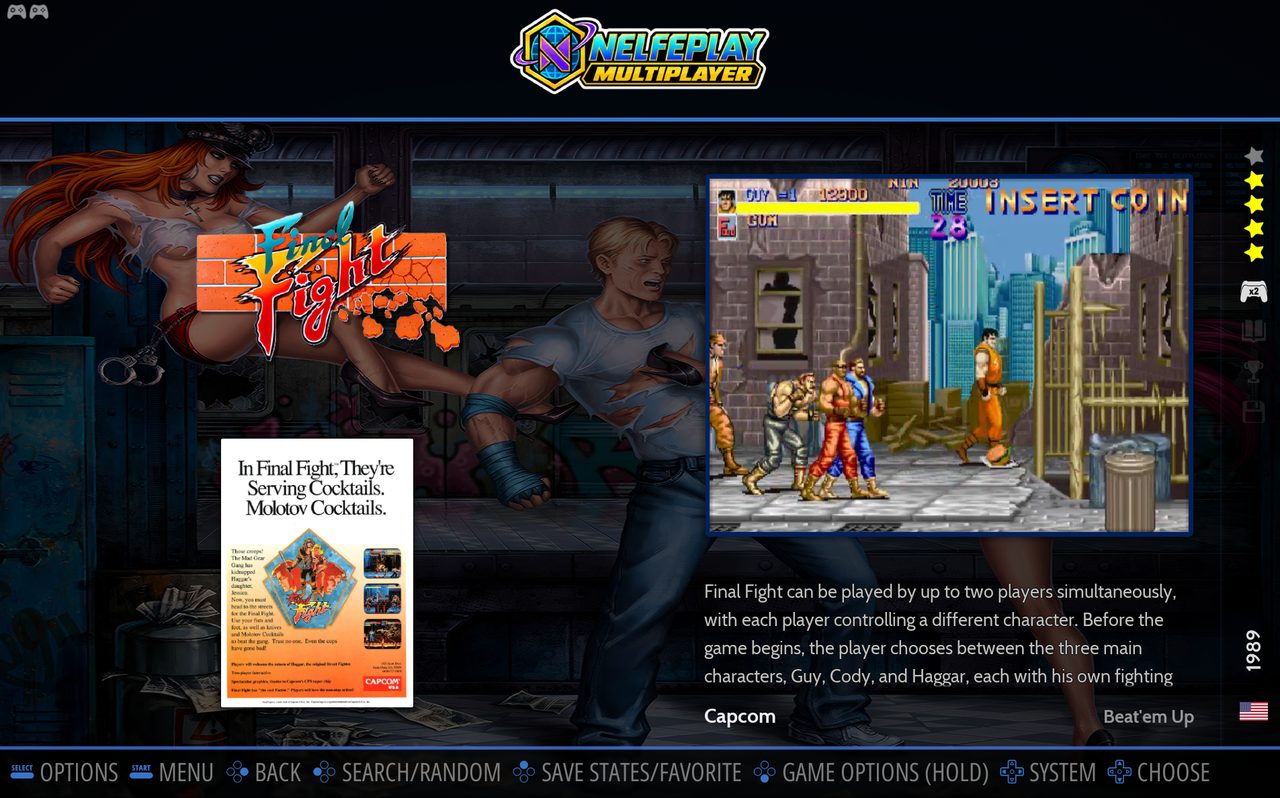
1 Select the game in the NELFEPLAY MULTIPLAYER collection, here Final Fight. -
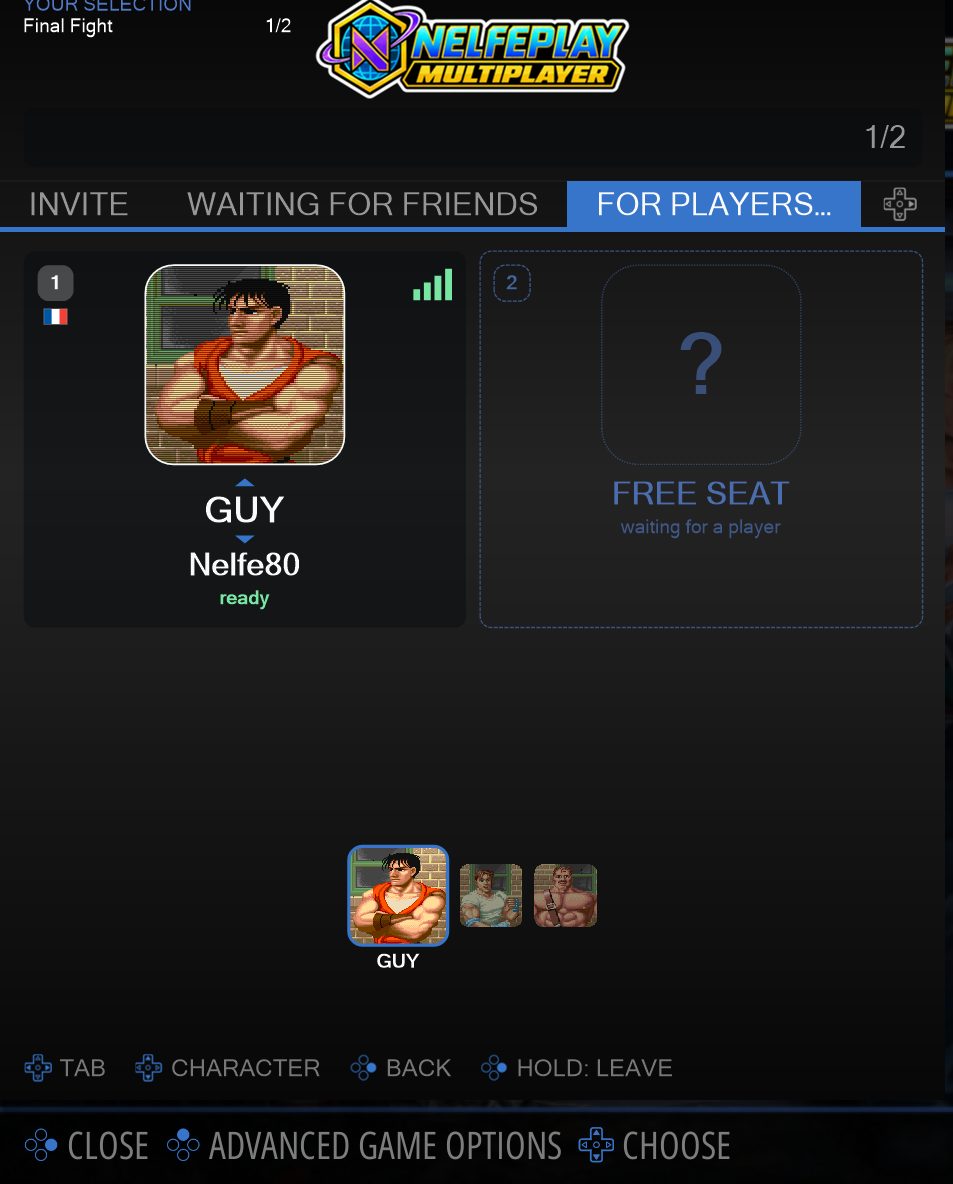
2 Hold A: you are in the gameroom. A free seat waits for an opponent, and ▲▼ changes character. -
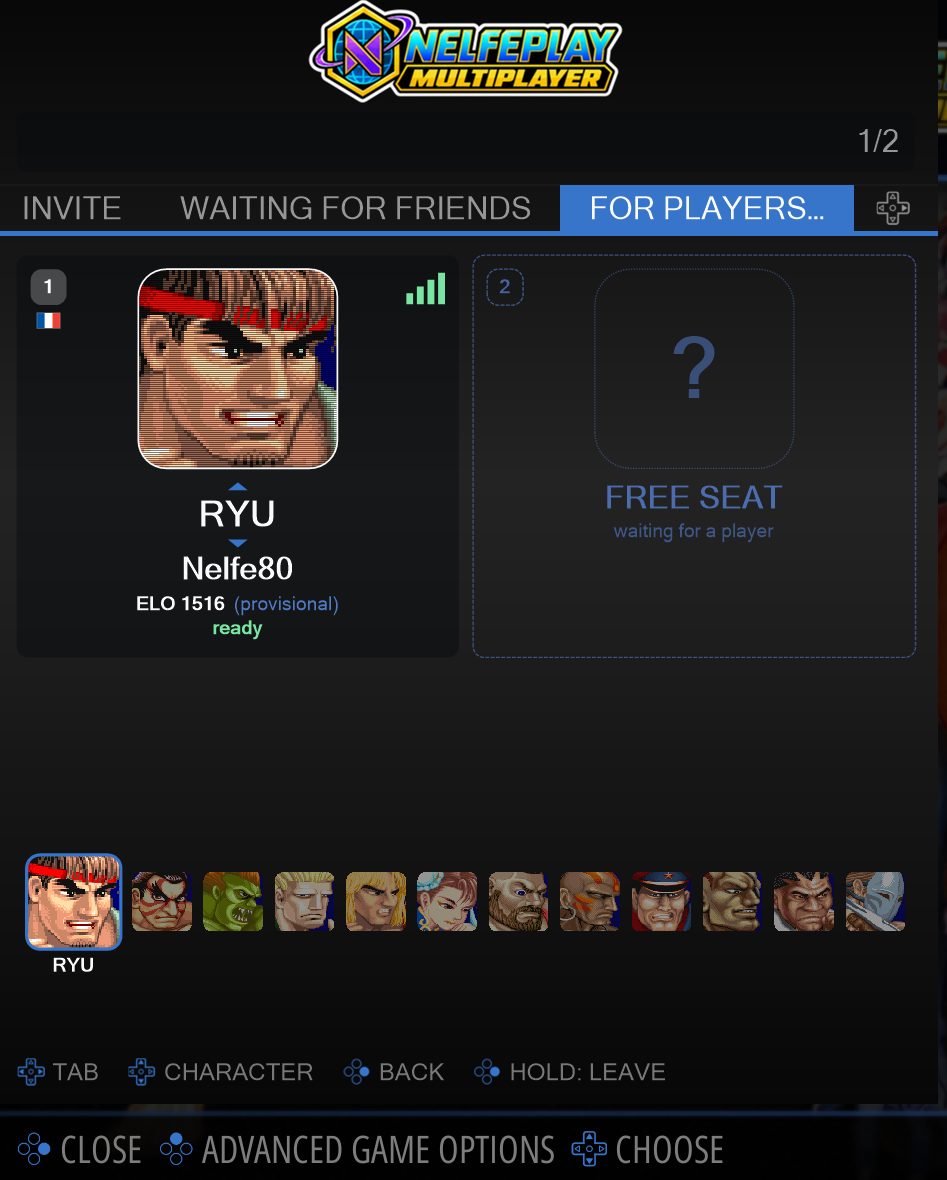
3 Same gesture on Street Fighter II Champion Edition: the panel lists the fighters.
The experience
From the first round to the last rematch
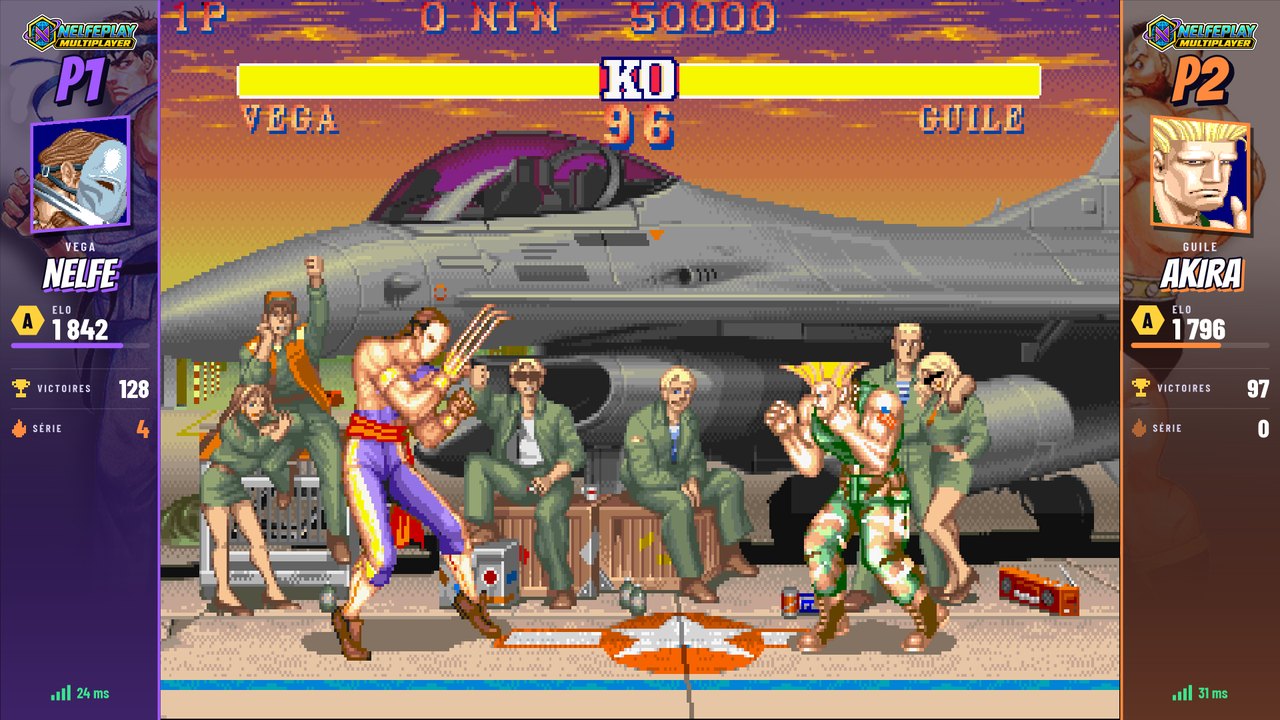
Who are you up against?
Portrait, nickname, rank and record: get to know your opponents before giving them a hard time! Everyone has a player card, visible during the match. A fine winning streak on the other side? Now that's a challenge worth taking up.
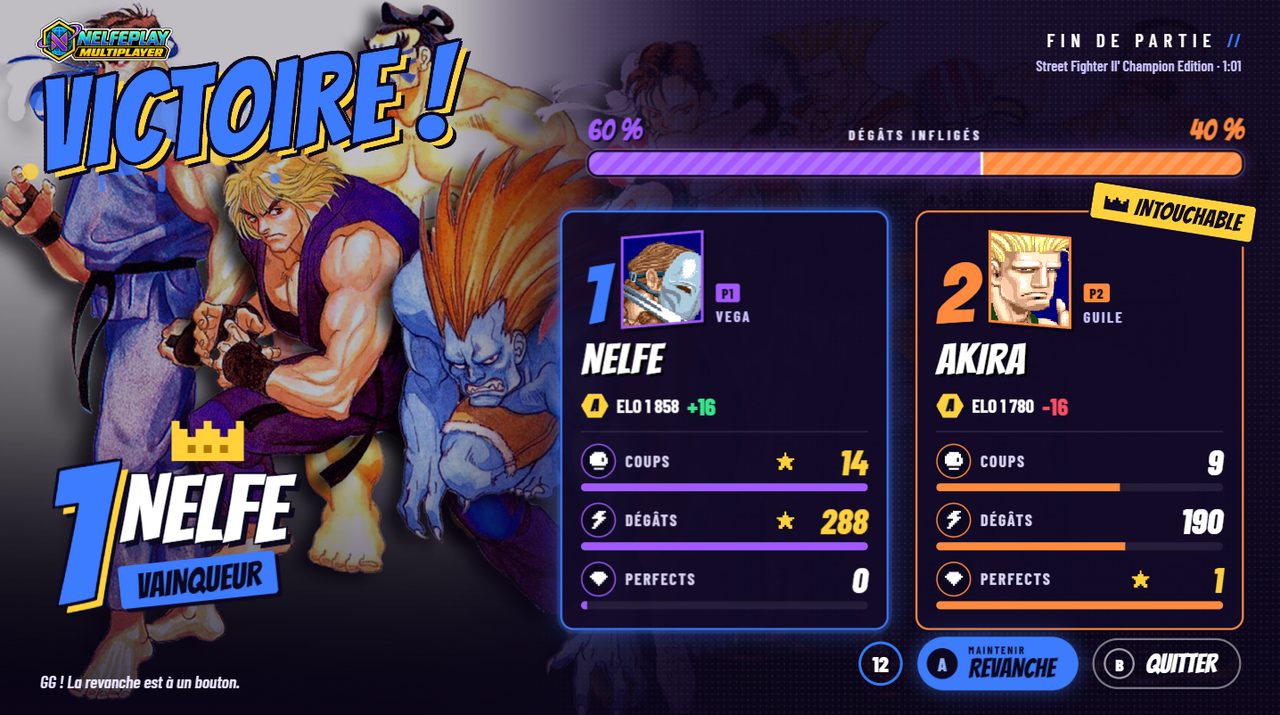
The verdict is in!
Time for the results! Discover the match stats, compare your performances and enjoy your best numbers. The winner gets a moment of glory, but the others have not said their last word: one button, and it's the rematch!
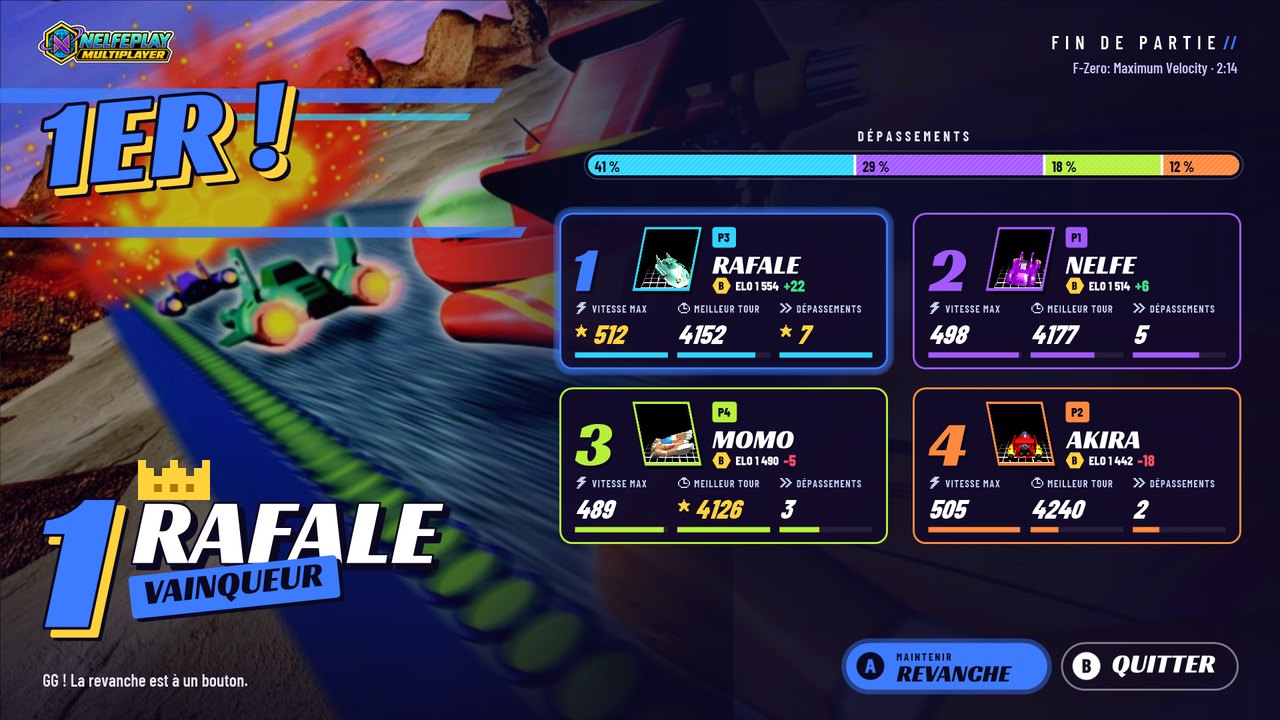
Who's the boss?
Four players at the start, one winner at the finish! Discover the match standings and your new rating. Enough to enjoy the win, tease your friends… and put your title back on the line.

Mass Run
Live races: dozens of players on the same level, from the same start, each on their own machine. The other runners appear on screen in their avatar's colors. Each game has its rating; races are not certified.
Mass Runs are played with others and are joined from the NELFEPLAY CHALLENGES & SPEEDRUNS collection in EmulationStation, next to speedruns and challenges.
In the NELFEPLAY CHALLENGES & SPEEDRUNS collection, select the game and hold A, then open the MASS RUN tab, pick the race and Launch. You join the waiting room, then the start is given to everyone at the same time. Started with a short press, the game stays a free game: nothing is measured.
-
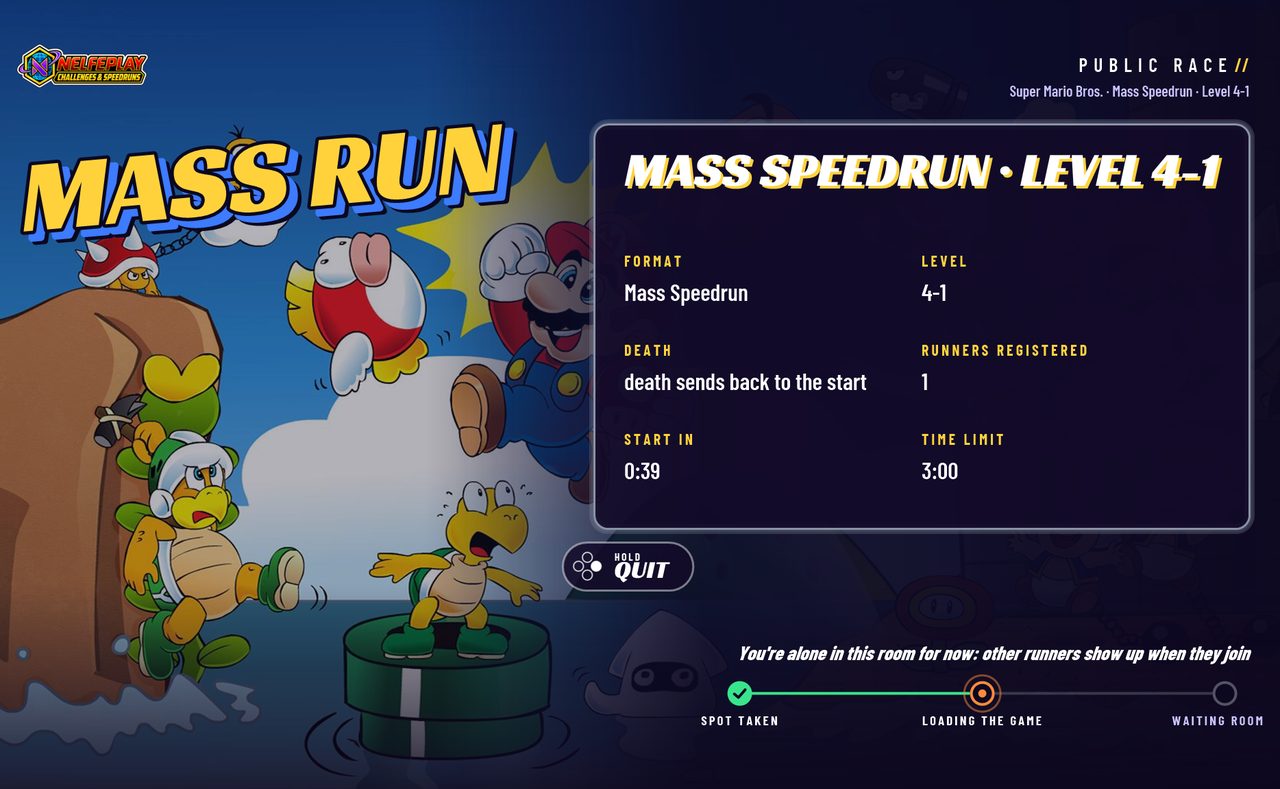
1 The Mass Run launch screen announces the level, the start and the length of the race. -
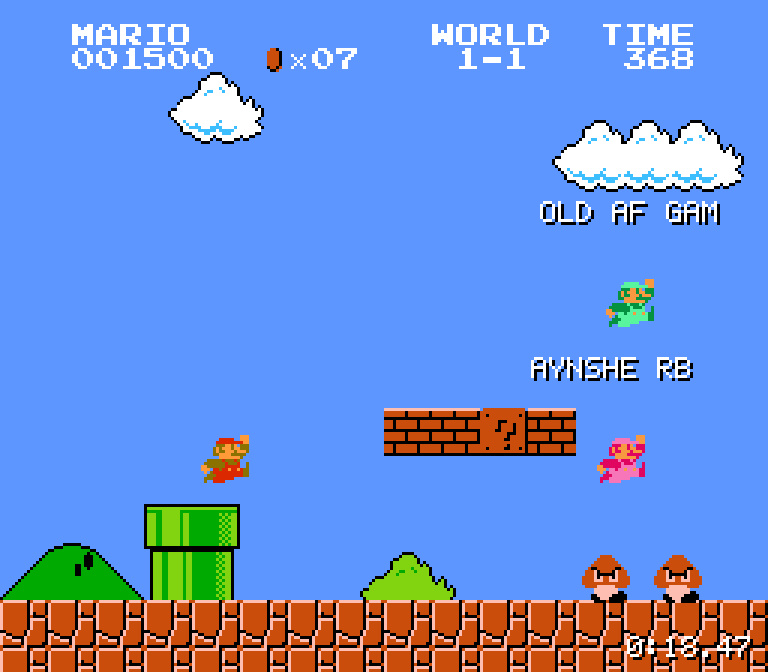
2 The race: the other runners appear on screen in their avatar's colors, with their nickname.